Everyday Guidebooks
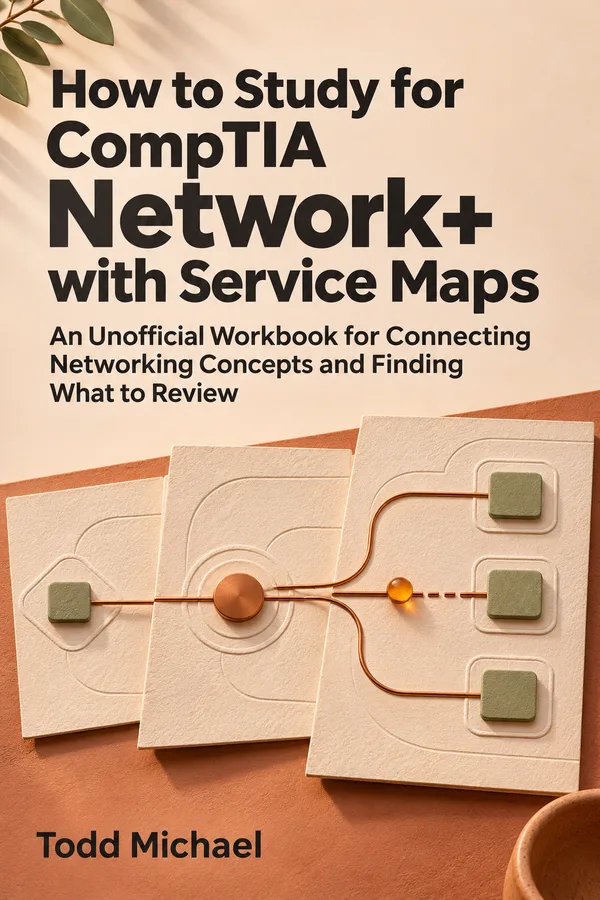
Cover of How to Study for CompTIA Network+ with Service Maps

Cybersecurity & IT

How to Study for CompTIA Network+ with Service Maps

An Unofficial Workbook for Connecting Networking Concepts and Finding What to Review

by Todd Michael

Available now

If your search for “comptia network+ how to study” has left you with more resources than a clear method, start by following a service from one end to the other.

This unofficial workbook shows you how to build simple text-based service maps: structured notes that trace a request from a client, through network infrastructure, to the services it depends on. Guided exercises cover scenarios such as reaching a website, joining Wi-Fi, accessing a remote resource, and investigating a connection failure.

As you map each scenario, you will connect networking concepts, mark uncertain links, test your explanations, and turn knowledge gaps into a focused review plan. Worked examples, prompts, and reusable templates make the method practical whether you study on paper or digitally.

This is a study-method companion, not a complete exam guide or a substitute for the current CompTIA exam objectives and a comprehensive learning resource. CompTIA and Network+ are trademarks of CompTIA; this book is independent and not endorsed by CompTIA.

Contents
  1. 1. Study the Connections, Not Just the Terms
  2. 2. The Anatomy of a Text-Based Service Map
  3. Start with the service
  4. The basic building blocks
  5. Build a first map
  6. Add detail without losing the path
  7. Worked example: finding a weak arrow
  8. Your turn: map a small office service
  9. Practice speaking from the map
  10. Save a reusable starting template
  11. 3. From Application to Network
  12. Begin with a request, not a device
  13. Separate the roles as data moves down the stack
  14. Give the client a specific situation
  15. Destination and next hop are different answers
  16. Put local connectivity into the map
  17. Guided exercise: Explain the outgoing request
  18. Guided exercise: Change one condition
  19. Turn vague arrows into review questions
  20. Check the return path without filling in the blanks
  21. Save the map for the next dependency
  22. 4. Finding a Destination
  23. 5. Across Switches and Segmented Networks
  24. 6. Reaching a Website
  25. 7. Joining and Using Wi-Fi
  26. 8. Accessing a Resource Remotely
  27. 9. Shared Services Behind the Scene
  28. 10. Security Controls Along the Path
  29. 11. Map a Failure and Form a Hypothesis
  30. Begin With the Expected Path
  31. Mark What You Know and What You Suspect
  32. Work From Symptom to Scope
  33. Form a Hypothesis You Can Challenge
  34. Worked Scenario: A Website Name Does Not Resolve
  35. Worked Scenario: Wireless Clients Cannot Reach an Internal Application
  36. Choose Checks for Information, Not Activity
  37. Your Turn: Build a Failure Map
  38. Close the Loop on Your Map
  39. 12. Turn Uncertainty into a Gap List
  40. 13. Build a Targeted Review Plan

Read a sample: 1. Study the Connections, Not Just the Terms

You recognize the words DNS, router, and default gateway. You may even be able to define each one. Then someone asks what happens when a laptop opens a website, and the terms no longer seem to fit together.

Where does the laptop get the destination address? When does it use the gateway? Does the router resolve the website’s name, or does something else do that? If the website does not load, which part of the path should you investigate first?

These questions are difficult for a reason. Knowing a networking term is not the same as knowing when it matters, what depends on it, or how it relates to the next part of a service. Network+ study often involves learning many individual concepts, but working through a scenario requires you to connect them.

This workbook gives you a way to practice those connections. You will use service maps: short, text-based representations of how a client reaches a service and what must support that interaction. The maps are not intended to be perfect network diagrams. They are study tools that help you explain a path, notice uncertainty, and decide what to review next.

You do not need to draw beautifully or already understand every device. In fact, the most useful map may be the one that reveals a gap you did not know you had.

When a user opens a website, the visible result is simple: a page appears, or it does not. Behind that result is a collection of related activities. The client needs usable network settings and a connection to a network. It may need to resolve a name into an address. Traffic must have a path toward the destination, and the destination must provide the requested service.

A service map makes a simplified version of that chain visible:

Client → local network → gateway → destination network → web service

That line tells a story, but it does not tell the whole story. For example, where did the client get its network settings? How did it learn the destination’s address? A revised map might add supporting dependencies:

Client → local network → gateway → destination network → web service Client → DNS service for name resolution Client → DHCP service for network settings, when configured to use DHCP

Even this version is incomplete. It does not explain transport protocols, security controls, switching, or what happens if the destination is on the same local network. That is acceptable. A map is a model made for a purpose, not a requirement to include every possible detail at once.

The important change is that the terms now have jobs. DNS is not merely a definition on a flashcard; it helps the client find an address associated with a name. A gateway is not merely a setting to memorize; it can be the client’s next hop when traffic needs to leave the local network. DHCP is not automatically part of every connection; it is one way a client can obtain network settings when configured to use it.

As you study, you will make these explanations more precise. For now, notice the difference between listing components and connecting them. A list asks, “Do I recognize this term?” A map adds, “What role does it play here, and how does it relate to the rest?”

Networking vocabulary is useful. You need words for protocols, devices, services, and behaviors before you can discuss them clearly. The difficulty comes when recognition is mistaken for understanding.

Suppose you read that a switch forwards traffic on a local network. The statement may feel familiar. But can you explain where the switch belongs in a path between a laptop and a local server? Can you distinguish its role from the role of a router when traffic must reach another network? Can you identify what you would need to learn before answering confidently?

If not, the answer is not to abandon vocabulary study. It is to give the vocabulary a context. A map gives you a place to put the switch and a reason to explain it. If your explanation stops at “the switch sends the traffic somehow,” that phrase is valuable evidence: you have located a specific area for review.

This is the central habit of the workbook:

1. Start with a service or task. 2. Sketch the components and dependencies you think are involved. 3. Explain the connections in plain language. 4. Mark what you cannot yet explain. 5. Use your objectives document and learning resource to guide review. 6. Return to the map and test your explanation again.

The map is not a substitute for learning networking content. It is a way to make your learning active and to expose the difference between a familiar word and a usable idea.

You will get the most from this workbook when you use it alongside two other resources: the current CompTIA Network+ exam objectives for the exam version you intend to take, and a separate, comprehensive learning resource that covers those objectives.

The exam objectives define the study scope. Obtain the objectives from CompTIA for your intended exam version. Use them to see which topics you are expected to study and to check your coverage over time. Objectives and exam versions can change, so confirm that the document you are using matches the exam you plan to take.

Your learning resource teaches the content. This might be an exam…

More Cybersecurity & IT

Cover of The White Hat Bible, Volume 1The White Hat Bible, Volume 1Available nowCover of The White Hat Bible, Volume 2The White Hat Bible, Volume 2Available nowCover of The White Hat Bible, Volume 3The White Hat Bible, Volume 3Available nowCover of The White Hat Bible, Volume 4The White Hat Bible, Volume 4Available nowThe White Hat Bible, Volume 5Available nowCover of The White Hat Pocket GuideThe White Hat Pocket GuideAvailable now

About Todd Michael

Todd Michael is an American author and the founder of ToddMichael.tv. He writes practical, plain-English books on money, health, preparedness, technology, games, humor and more.

About the author Todd Michael · Todd Michael’s author site

Part of the ToddMichael.tv network.




