Everyday Guidebooks
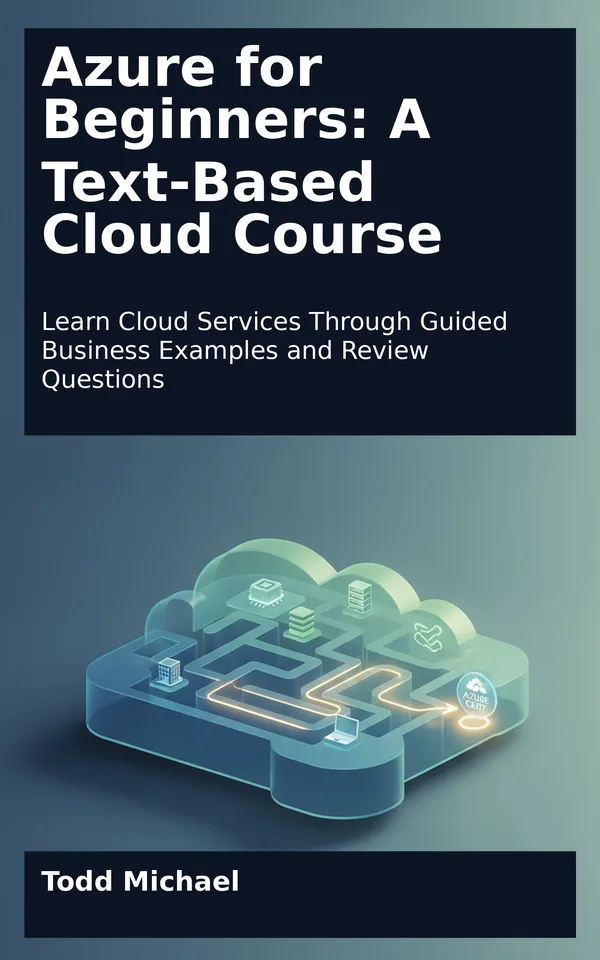
Cover of Azure for Beginners

Cybersecurity & IT

Azure for Beginners: A Text-Based Cloud Course

Learn Cloud Services Through Guided Business Examples and Review Questions

by Todd Michael

Available now

Looking for an azure for beginners course you can follow at your own pace, without sitting through hours of video? This text-based introduction turns unfamiliar cloud terminology into a sequence of understandable choices.

Meet fictional businesses with different needs, from hosting a small application to organizing resources across teams. As their stories unfold, you'll explore Azure regions, compute options, storage services, networking basics, and the structures used to group and manage cloud resources. Guided examples show why one choice may fit a situation better than another, while review questions help you check your understanding along the way.

Written for readers starting from zero, this independent guide emphasizes concepts and decisions rather than memorizing a certification blueprint. You can work through the explanations without a paid Azure account, then use what you've learned as a foundation for further study or practical training.

This book is not affiliated with or endorsed by Microsoft.

Contents
  1. 1. Starting Your Cloud Course
  2. What Is Cloud Computing?
  3. Why Businesses Consider the Cloud
  4. Meet the Businesses in This Course
  5. A First Look at Cloud Resources
  6. The Shared Responsibility Model
  7. Working Through a Business Need
  8. How to Use This Course
  9. Baseline Review Questions
  10. Answer Guide
  11. 2. How Cloud Services Fit Business Needs
  12. 3. Regions, Geography, and Service Location
  13. 4. Planning for Availability
  14. 5. Organizing Resources in Azure
  15. 6. Naming, Tagging, and Finding Resources
  16. 7. Choosing Compute: Virtual Machines
  17. 8. Choosing Compute: Managed Apps and Containers
  18. 9. Choosing Storage for Different Kinds of Data
  19. 10. Planning Storage Access and Resilience
  20. Question 1: How Will the Data Be Used?
  21. Question 2: How Will the Data Remain Available or Be Recovered?
  22. Question 3: Who or What May Access the Data?
  23. Putting the Three Questions Together
  24. Review Questions
  25. 11. Building a Network Vocabulary
  26. 12. Connecting Users and Services
  27. A Business With Two Kinds of Traffic
  28. Network Security Groups: Rules for Traffic
  29. DNS: Finding a Destination by Name
  30. Load Balancing: Sharing Incoming Work
  31. Connecting Employees to Azure
  32. Private Access to a Service
  33. Following a Request End to End
  34. A Practical Design Check
  35. Answers and Explanations
  36. 13. Putting the Pieces Together
  37. 14. Review and Next Steps
  38. A Mixed Review
  39. Turning a Business Request into a Design
  40. How to Check Current Microsoft Documentation

Read a sample: What Is Cloud Computing?

Cloud computing is a way to obtain computing capabilities over a network from a provider that operates the underlying infrastructure. Those capabilities can include processing power, data storage, networking, and software services.

Think of the work an organization needs to do rather than the equipment it might buy. An application needs somewhere to run. Its data needs somewhere to be stored. Its users need a way to connect. Traditionally, an organization might purchase servers, install them in an office or data center, configure them, and arrange for maintenance. With cloud computing, it can obtain many of those capabilities as services from a provider.

Microsoft Azure is one such cloud platform. Azure offers a broad collection of services that organizations can configure for different purposes. A company might use Azure to host a website, store backup copies, support internal applications, or build a new service for customers.

The word cloud can sound as though the computing happens nowhere in particular. It does not. Cloud services depend on physical equipment in real facilities. The difference is that the customer generally accesses and manages those capabilities through the provider’s services rather than owning every piece of underlying hardware.

Cloud computing is also not simply another name for “the internet.” The internet can provide a path to cloud services, but the cloud services themselves supply computing capabilities. Depending on the design, an organization may also connect to cloud resources through private connectivity arrangements rather than relying only on public internet access.

More Cybersecurity & IT

Cover of The White Hat Bible, Volume 1The White Hat Bible, Volume 1Available nowCover of The White Hat Bible, Volume 2The White Hat Bible, Volume 2Available nowCover of The White Hat Bible, Volume 3The White Hat Bible, Volume 3Available nowCover of The White Hat Bible, Volume 4The White Hat Bible, Volume 4Available nowThe White Hat Bible, Volume 5Available nowCover of The White Hat Pocket GuideThe White Hat Pocket GuideAvailable now

About Todd Michael

Todd Michael is an American author and the founder of ToddMichael.tv. He writes practical, plain-English books on money, health, preparedness, technology, games, humor and more.

About the author Todd Michael · Todd Michael’s author site

Part of the ToddMichael.tv network.



